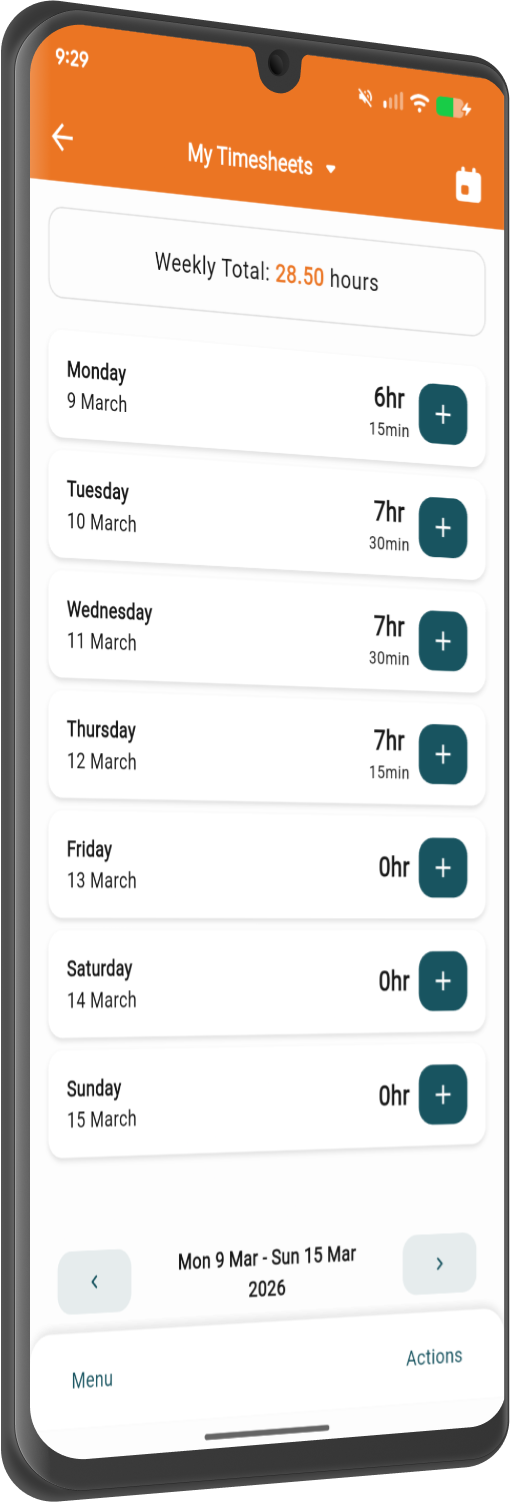
It's time to make the switch. A complete mobile app upgrade on a new platform, built to be significantly faster, more stable, and easier to use when you're out on site. Grab it today from the App Store.



Staff can quickly:
The weather now shows on every job, right there on the card.
Update jobs, fire out quotes, and log labour, materials and disbursements as they happen. All the info you need at your fingertips.
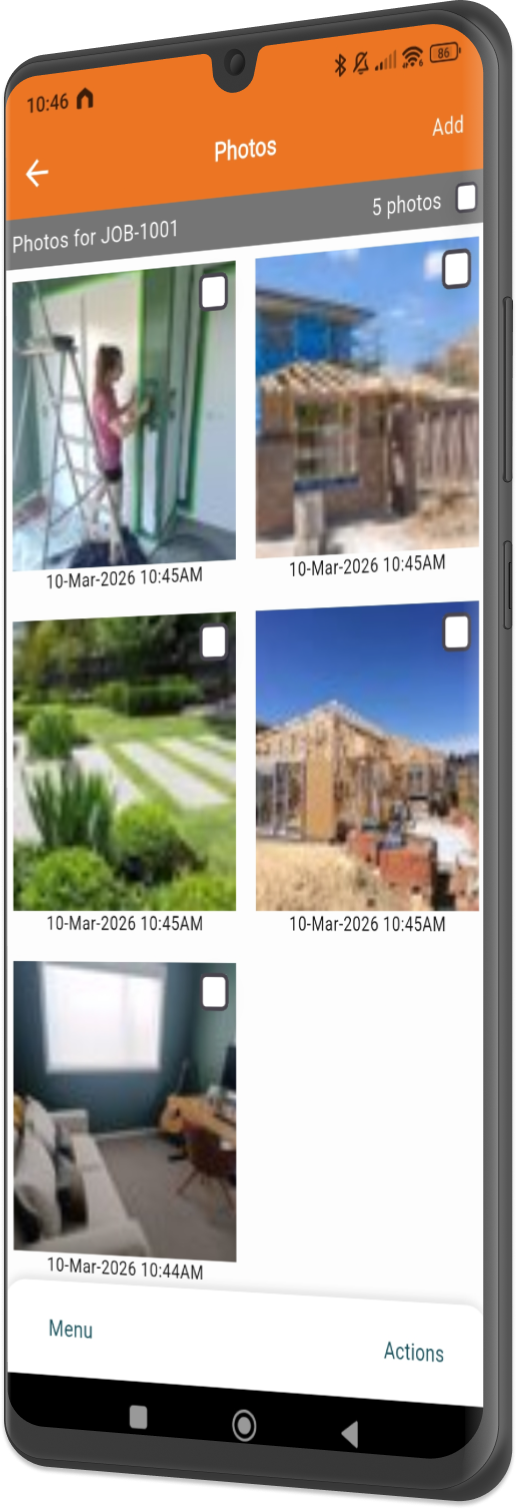
New controls in the photos view: pinch to zoom, and swipe straight through the full-screen view. On jobs and tasks alike.
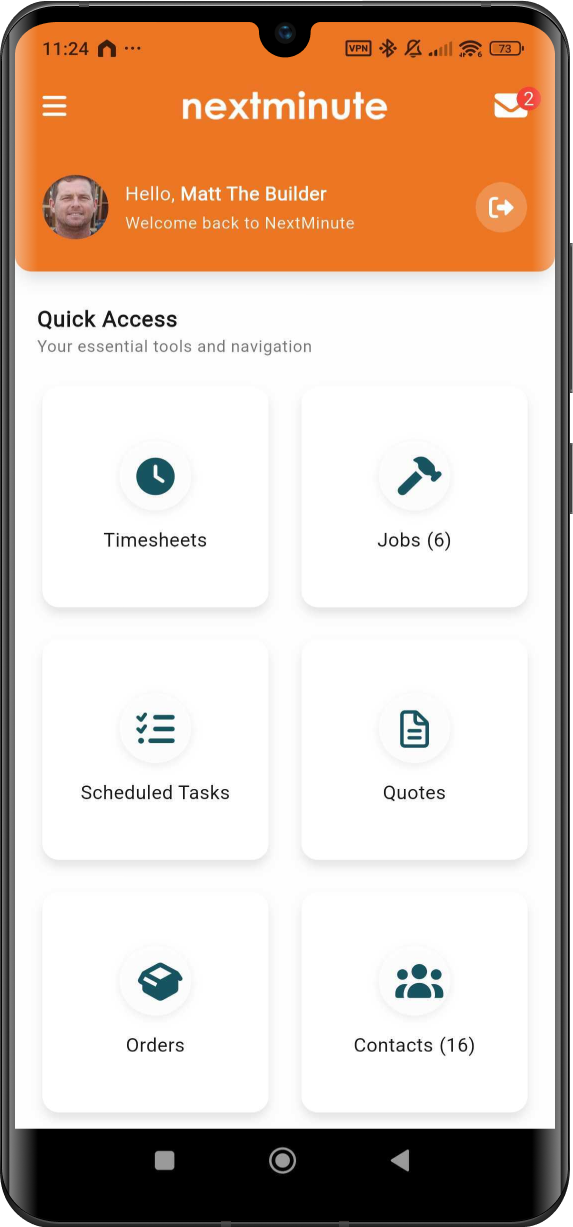
Everything one tap away. The menu is now a grid of tiles instead of a long list.
Sketch out your ideas and notes with ease.
A new look for in-app messaging, so nothing gets lost between site and office.
Everything the crew and the office already run on is right where you left it.
Fire them out from site and get them approved on the spot.
Shift tasks and dates as the week changes, and the crew sees it straight away.
Raise and send a purchase order to your supplier, against the right job.
Raise and send invoices from your phone, now live in the app. Desktop invoicing works just as it did.
Notes, photos and files against the job, with talk-to-text if your hands are full.
The whole job in your pocket, so nobody's ringing the office for an address.
Logged as they happen, so no cost goes walkabout before invoicing.
We’ve answered the ones we hear most from builders and tradies.

The new NextMinute app is a complete rebuild, not an update. We've built it from the ground up on a modern platform, so it's faster, more stable and easier to get around than the old app. It looks a lot better too, and it gives us a base to ship new features far quicker than before. Nearly everything you use today is already here, plus new tricks like live site weather and scribble view. See the wider platform on our features page.
You'll need to download it. Because this is a separate build rather than a new version of the old app, it won't turn up in your usual phone updates. Grab it from the App Store or Google Play, log in with your normal NextMinute details, and you're away. Same account, same data, new app. Takes a couple of minutes per person.
Right now. The new app is live on both the App Store and Google Play, so your crew can download it today. There's no waiting list, no staged rollout and nothing to switch on at our end. If you're not on NextMinute yet, start a free trial and use the new app from day one, or book a demo and we'll walk you through it.
You'll need to switch. We'll be retiring the old version before long, so it's worth moving the team across now rather than getting caught out later. There's no cost and no migration project involved, it's just a download. Doing it while things are quiet beats doing it mid-way through a busy week. If you'd rather we talked your team through the change, get in touch.
Nothing's missing now. Quoting, scheduling, timesheets, job notes and files, photos, cost tracking, purchase orders, variations and invoicing all work in the new app, just faster and with a cleaner layout. A few screens have moved because the navigation is simpler now.
Yes, all of it. The new app runs on the same NextMinute account you already use, so your jobs, photos, timesheets, quotes and cost history are sitting there waiting when you log in. Nothing needs exporting, re-entering or setting up again, and your office team's view in the browser doesn't change at all. Your Xero connection carries on as normal too.
Much better than it used to. You can set the thumbnail size so photos show at a size that suits what you're doing, scroll straight through a full set without backing out to the list each time, and pinch to zoom in on the detail. Handy when you're checking a repair against a photo taken a fortnight ago, or pulling up progress shots before a client call. More photo improvements are on the way.
Scribble view is a blank canvas you draw on with your finger, right there in the app. Good for a quick set-out, a rough detail to send the crew, or sketching an idea in front of the client rather than digging out a notepad. It's a fresh canvas, not mark-up over an existing plan or photo, so the plan itself stays as it is on the job in the app.
Every job site in the new app shows live weather for its own location. That means you can see what's coming before you plan the week, bring indoor work forward when rain's due, and give clients a straight answer about likely delays. For anyone working outdoors it's one less thing to check. Use it alongside scheduling to shuffle jobs around a bad run of days.
No. The new app is included in your NextMinute subscription, exactly like the old one, so there's nothing extra to pay and nothing new to sign up for. You can see current pricing on our pricing page. Downloading the new app doesn't change your subscription or your billing in any way.
Yes. Invoicing is now live in the mobile app, so you can raise and send invoices straight from your phone. Because timesheets, materials and expenses are already sitting against the right job, invoicing is mostly a review-and-send job rather than starting from scratch. The office can still invoice from desktop too. More on how it works on construction invoicing.
Download the new app below on the Apple App Store or Google Play.