NextMinute Xero Integration
Integrate with Xero. Simplify your workflow.
NextMinute syncs invoices & contacts back and forth with Xero, helping tradies get it sorted with no hassle.

NextMinute syncs invoices & contacts back and forth with Xero, helping tradies get it sorted with no hassle.
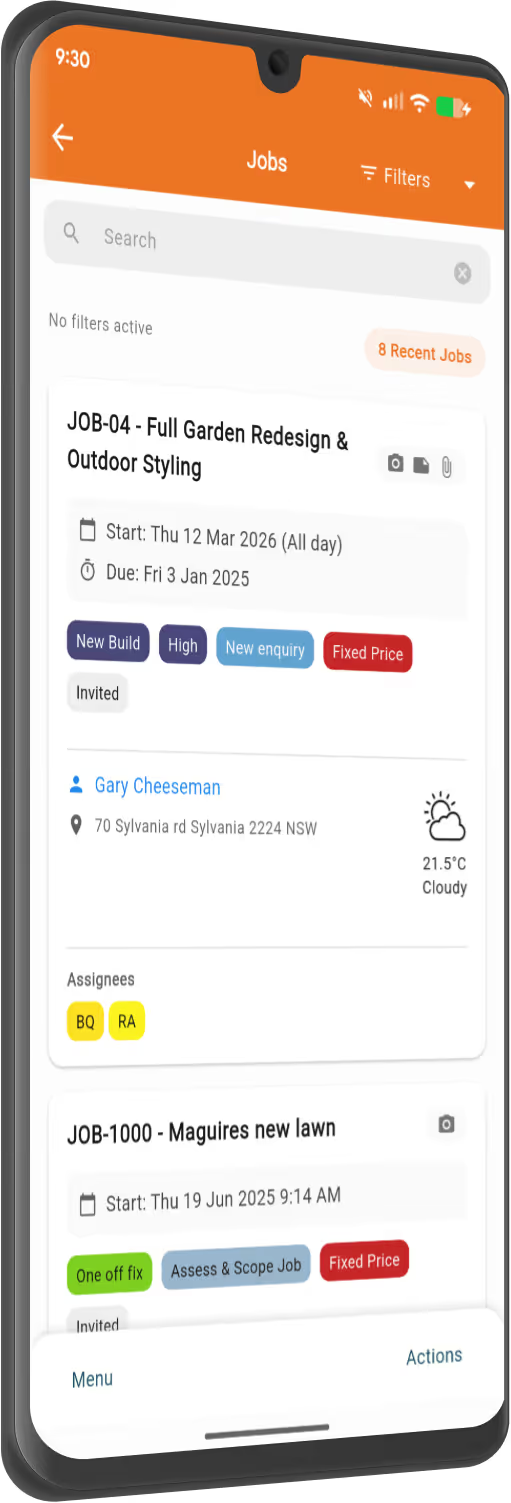
You've got more important things to do than enter numbers into multiple systems. Connect Xero to your NextMinute account in a few clicks and sync your data automatically.
Pull supplier invoices from Xero into NextMinute, assign them to jobs, and sync payments both ways. You can also add invoices directly in NextMinute and sync them back to Xero.
Create your sales invoices in NextMinute and watch them sync effortlessly to Xero. Payments flow back from Xero to reconcile in NextMinute, so you’re always on top of things.
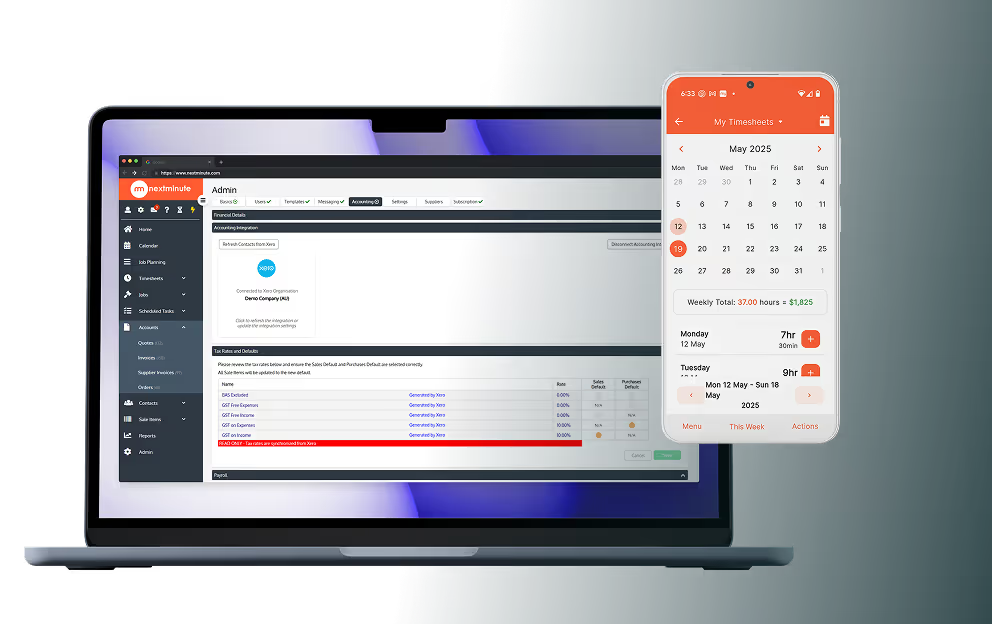
Timesheets sorted. Send them straight from NextMinute to Xero, and let payday happen without a hitch. Less admin hassle, more time for what really matters.
Customer and supplier contacts sync automatically between NextMinute and Xero, so you’re never stuck updating details in two places again.


Xero is a top-notch accounting solution that covers all your business needs, from managing finances to handling payroll and taxes. It’s ideal for builders and tradies who want to keep their financials in check without the hassle. Together, NextMinute and Xero make a perfect pair — letting you streamline your entire workflow from job site to bank account.
Visit Xero Website
NextMinute is specifically designed to make your life easier by cutting down on job admin.
Connect NextMinute with Xero to easily keep all your financial information in sync.
Your bookkeeper will love NextMinute. No manual data re-entry, and everything stays up-to-date across both systems.
We've made getting set up with Xero super simple, so you can get on with the job.
We’ve answered the ones we hear most from builders and tradies.

It certainly does. You can manage your progress payments and sales invoices in NextMinute, and they’ll push through to Xero like any other invoice, keeping your cash flow tracking simple.
We offer a 10-day free trial so you can see how the sync works with your own data. We'll even help you set it up and import your info so you can give it a proper run on site.
It's best to create your sales invoices in NextMinute where all your job data, variations, and timesheets live. Once you hit go, they sync effortlessly over to Xero for your accounting and tax records.
It only takes a few clicks to link your accounts. If you get stuck, our local team in NSW can jump on a quick call to show you the ropes and help you import your existing jobs and quotes.
When a payment is reconciled in Xero, that info flows back into NextMinute. It means you can see which jobs are paid and which are outstanding without needing to jump between two different apps.
They’ll love it because it gets rid of manual data re-entry. Since everything stays in sync across both systems, the books stay clean and up-to-date without them having to harass you for receipts and invoices every Friday.
You can pull supplier bills directly from Xero into NextMinute and assign them to the relevant job or stage. This keeps your back-costing accurate so you can see exactly how much you're spending on materials versus what you quoted.
You bet. Once the crew logs their hours in NextMinute, you can send those timesheets directly to Xero Payroll. It makes payday a piece of cake and ensures your labour costs are accurate without you having to chase paper dockets.
No way, that’s exactly the kind of double-handling we help you avoid. Customer and supplier contacts sync up between NextMinute and Xero, so if you update a phone number or address in one, it reflects in the other.
It’s a two-way sync that connects your job management with your accounting. You can pull supplier invoices from Xero into NextMinute to assign them to specific jobs, and any sales invoices or timesheets you create in NextMinute push straight through to Xero automatically.


Copyright © NextMinute Australia Pty Ltd. All Rights Reserved.