
If you’re running jobs on a spreadsheet, you’re not alone.
Most Aussie builders and tradies start there. It’s quick, it’s familiar, and it works… right up until it doesn’t.
Usually the “doesn’t” looks like this: you’re on site, someone asks how the job’s tracking, and you give the classic answer — “Yeah, good… I’ll check that tonight.”
And “tonight” turns into an hour (or three) after dinner, bouncing between invoices, texts, emails, and whatever version of the spreadsheet is actually the latest.
Spreadsheets don’t really fail. They just quietly stop keeping up with a busy building business.
Why spreadsheets feel fine early on
When you’ve got a couple of jobs on and it’s mostly you running the show, a spreadsheet can be enough. You’ve got the job in your head, and the sheet is just your backup.
But once you’re juggling more jobs, more tradies, more suppliers, more variations, and maybe someone in the office helping — the spreadsheet becomes a full-time pet. You’re constantly feeding it, fixing it, and double-checking it.
That’s when the real cost shows up.
Not the cost of software — the cost of admin, missed variations, slow invoicing, stressful progress claims, and those nasty “where did the margin go?” surprises.
The real difference (in builder terms)
A spreadsheet is good at holding information.
But building is a workflow. Things move. Budgets change. Variations happen. Subbies send invoices. Suppliers deliver materials. Timesheets come in. Invoices need to go out. Money needs to land in the bank.
Job management software connects those moving parts so you’re not stitching the whole job together manually every week.
That’s why the question isn’t really “Should I stop using spreadsheets?”
It’s: “Am I losing time and margin because I’m relying on them?”
The tipping point: when the spreadsheet starts costing you
Most builders hit the wall in the same few places.
Variations start slipping through
Not because you’re not charging them — because you’re busy. They get agreed on site, confirmed by text, and you fully intend to bill them… until the job moves on and it gets messy.
One missed variation doesn’t seem like much. But a handful each month adds up fast, and it’s usually pure profit you’ve just handed away.
Progress claims turn into a monthly drama
You know the job’s progressing, but pulling together a clean claim pack becomes a scramble — chasing paperwork, second-guessing what’s included, digging up photos, and trying to remember what was agreed.
It’s stressful, it takes ages, and if it gets delayed, your cashflow wears it.
You lose mid-job confidence
You might feel like a job is tracking alright, but you can’t see actual vs budget (and what’s committed) without doing a proper admin session.
By the time you’ve done that, the job has moved on. And if there’s a blowout, you’re finding out too late to fix it properly.
Admin creeps into every night
It starts as “I’ll just update this quick.” Then it’s most nights. Then it’s Sunday arvo.
The spreadsheet stops being a tool that helps — and becomes a thing you have to maintain just to keep your head above water.
A quick test builders actually use
If you want the simplest “should I switch?” test, it’s this:
Can I confidently see how each job is tracking — margin included — without a big admin session?
Am I confident we’re claiming every variation we earn?
If either answer is “not really”, you’re at the tipping point.
Not because you’re failing — because the business has outgrown the tool.
“I don’t want to pay for software” — fair… but you already are
This is the bit no one likes hearing, but it’s true.
If you’re spending hours each month:
- matching supplier invoices to jobs
- manually updating budgets
- chasing timesheets
- rebuilding invoices from scratch
- quoting from scratch over and over
- trying to work out where the margin went
…you’re already paying.
Just not as a neat line item.
You’re paying in lost time, stress, headspace, and the sort of admin headaches that follow you home.
And here’s the simplest way to think about it:
For roughly the cost of a few hours of labour per month, you can have your quoting, scheduling, costs, timesheets, and invoicing sorted in one system — so you’re not constantly rebuilding the picture from scraps.
Where NextMinute fits (and why builders move to it)

The biggest win is admin. Because instead of running the job across a spreadsheet, texts, paperwork, and your accounting package, NextMinute keeps everything connected to the job.
All your job costs in one place
No more guessing. No more trawling through supplier invoices trying to remember which site they’re for. You can see what’s happening job-by-job without needing a full reconciliation session just to get a clear picture.
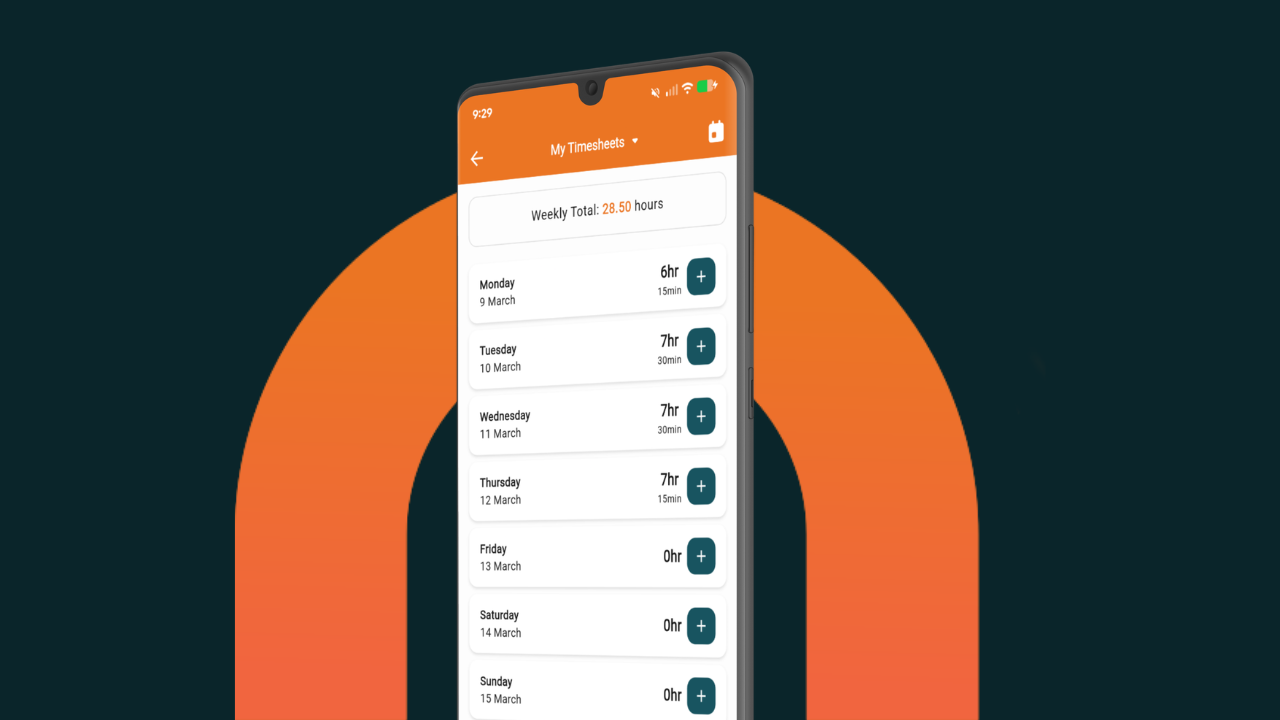
Timesheets that don’t become a weekly headache
Your crew logs their time, and it links straight through to payroll — so you’re not chasing scraps of paper, texts, or “yeah I did 8 hours” chats, then translating that into payroll later.
Accurate invoices in a few quick clicks
Instead of rebuilding invoices every time, you can create accurate invoices quickly using the info you’ve already captured on the job. Less double-handling, fewer mistakes, faster billing.
Quoting without spending hours every night
Quoting is one of the biggest time sinks in a building business. With templates and price books, you’re not reinventing the wheel every time someone asks for a price. You can quote faster, keep it consistent, and protect your margins.
Scheduling that keeps the crew moving
Your team knows where they need to be and what needs to be done — without you having to ring around or send ten messages. Fewer “where are we at?” calls. Less chasing. More work getting done.
Put it together and you get the real benefit: less admin, fewer missed details, and better visibility while the job is still running — not weeks later when it’s too late to fix.
And honestly, that’s why the “I don’t want to pay for software” argument usually falls over pretty quickly. If NextMinute saves you even a handful of admin hours a month, plus helps you invoice faster and quote quicker, it’s not really an expense — it’s buying your time back.
Grab a 10-day free trial here.
Not ready to switch yet? Here’s how to stretch spreadsheets a bit longer
If you’re not ready to jump tomorrow, no dramas — you can buy yourself time by tightening the system.
Keep one version of the spreadsheet as the master (not ten copies floating around). Get serious about variations (if it’s not recorded and approved, it doesn’t get done). And stick to a weekly rhythm where you update costs and review how jobs are tracking.
That can work for a while.
But if you’re growing, the hybrid stage doesn’t last forever. Eventually you’ll want a system that your team can use without breaking every time someone updates a cell.
The point isn’t software. It’s control.
Most builders don’t switch because they suddenly love tech.
They switch because they want fewer surprises, faster invoicing, tighter variations, smoother payroll, less admin at night, and a clear view of profit before it’s too late to do anything about it.
If spreadsheets are starting to steal your nights and your margin, job management software isn’t an extra expense.
It’s how you stop the leak.
FAQs
When’s the right time to switch?
When you’re running multiple jobs, variations are common, and you can’t reliably see job margin mid-job without a big admin session.
Can I keep spreadsheets for estimating and use software for delivery?
Yep. Plenty of builders keep estimating templates they like, then manage jobs, costs, variations, timesheets, and invoicing in software.
How long does it take to implement?
Most teams are up and running in a couple of days.
Isn’t moving systems a real pain?
Not with NextMinute - we’ll help import all your jobs, train your team, and make sure you get as much time back as possible!