Coming soon

Construction Checklist App for Aussie Trades

Checks done properly. Even when you're not there.

Pre-starts, safety walks and quality checks, done on the phone and saved on the job. Coming soon to NextMinute.

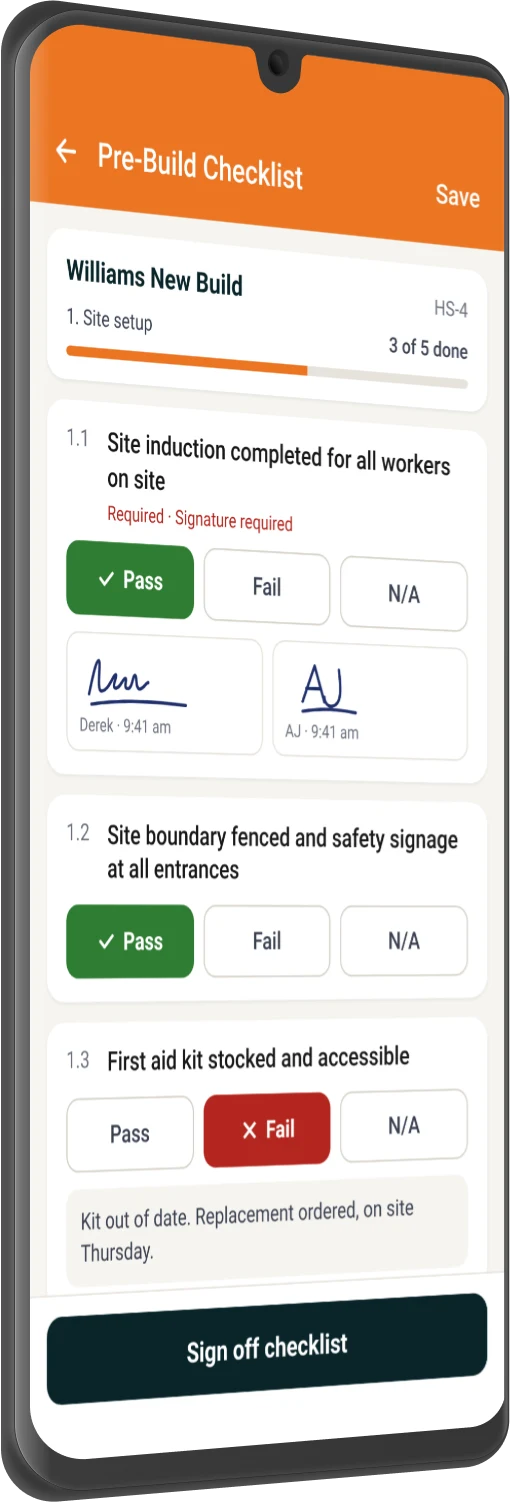
NextMinute mobile app showing a pre-build checklist with crew signatures
NextMinute mobile app showing a pre-build checklist with Pass, Fail and N/A answers and crew signatures
Works Wherever You Do

Ditch the clipboard. Use your phone.

Set it up once, use it on every job

Build it once and add it to any job. Daily Check, Weekly Check, Health & Safety or Quality.

Ticked off on site

Pass, Fail or N/A, plus a photo or note while they're on the tools.

Every tick has a name on it

Who did it and when, on every answer and every signature.

No ringing around

See how far along it is, and get a notification in NextMinute when something changes.

Apple logo with text 'Download on the App Store' badge.Get it on Google Play badge with the Google Play multicolor triangle logo on a black background.
No Shortcuts

No skipping the boring bits

It won't submit until every box is filled. The crew sees exactly what's left before they pack up, and once it's in, it's locked.

Book a Demo
Set and Forget

Your pre-start, there every morning.

Pick your work days and dates. A fresh Daily Check shows up each day for the length of the job (up to a year). Weekly machinery checks work the same way.

Proof's one click away

Client, builder or inspector asking who checked what? Send them the PDF with every result, comment, signature and timestamp.

View Pricing (AUD)
How Crews Use It

For the checks you're already doing

Daily site pre-starts

On everyone's phone first thing. No chasing.

Machinery and gear

Excavator checked and signed before it starts.

Health & Safety walks

Walk the site, photograph any hazards and sign it off.

Quality checks

Check each stage before it's covered up, with photos to prove it.

Handover sign-off

Final check at practical completion, signed PDF to the client.

How NextMinute Works

All the tools you need to get the job done

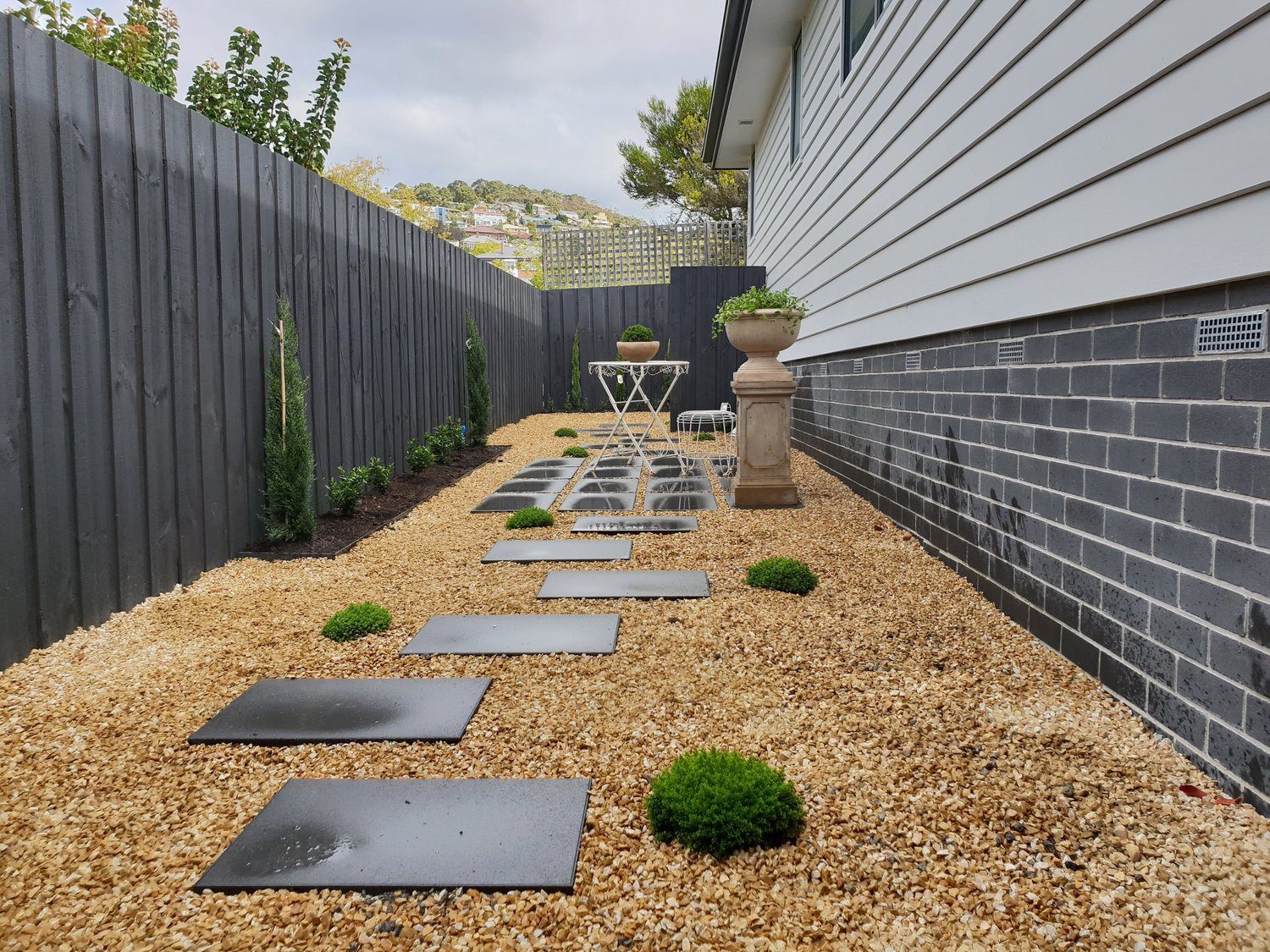
Side garden path built by Broadview Landscaping in Tasmania

Customer Review

"We have just started using NextMinute for our landscape construction business and so far, so good!! Our staff find using the App extremely easy and much more efficient than our old processes."

Broadview Landscaping logo

Shendel Betts

Broadview Landscaping, Tasmania

View all reviews

Talk To A Real Person

Book a 15-min intro

Have a quick chat with our local team. We’ll walk through how you run jobs and show you how NextMinute fits.

  • Anna-Kate, Sales Manager at NextMinute

    Anna-Kate · Sales Manager

    From the land of Guinness, she’ll help you work out if NextMinute’s a good fit. Straight talk, no sales BS, and a good sense of humour.

  • Mat, former plumber and NextMinute Pro

    Mat · Former Plumber & NextMinute Pro

    Mat’s a tradie, not a software guy. He’s been on the tools and shows you how to run jobs without the admin headaches.

  • Sounds good. When are you free?
  • Tell us what you need

    Let us know your requirements and how you run your jobs

  • No bullsh*t

    Real humans with construction experience that you'll actually like talking to

  • Get a trial account

    We'll set you up with a customised account to try out NextMinute. We can even import your jobs and quotes

Common Questions

We’ve answered the ones we hear most from builders and tradies.

What is a construction checklist app?

A construction checklist app swaps paper pre-starts, safety walks and quality checks for checklists your crew fills out on their phone. In NextMinute, each checklist sits on the job, so answers, comments, photos and signatures are stored with everything else for that job. Every answer is stamped with who did it and when, so you've got a clear record without chasing clipboards. Checklists is coming soon, right alongside your job scheduling and quoting.

When will Checklists be available in NextMinute?

Checklists is coming soon. It's being tested now and we'll announce it when it's ready for customers. When it lands, it'll be part of NextMinute alongside your quoting, scheduling and timesheets, not a separate app you have to log into. If you want to see where it's heading, book a demo and we'll walk you through it. In the meantime, start a free trial and get your jobs set up.

Can my crew fill out checklists on their phone on site?

Yes. Your crew opens the checklist on their phone, ticks off each item with Pass, Fail, N/A, Yes or No, and adds a comment or photo as they go. They can sign it off on site there and then, and the office sees it straight away. No more paper forms in the ute that turn up crumpled at the end of the week. Have a look at the NextMinute mobile app to see how crews already use it day to day.

Can I set up a daily pre-start that repeats for the whole job?

Yes. Set it up as a Daily Check, pick the weekdays you work and a start and end date, and a fresh checklist turns up for each day, for up to a year. Weekly Checks work the same way with one day of the week, which suits machinery and equipment checks. Build it from a template once and it's sorted for the life of the job. It's one less thing to remember every morning, and one less thing to chase when you're planning the week.

How do I prove a check was done if a client or builder asks?

Send them the PDF report. In one click, NextMinute creates a report showing the job, who completed the checklist, each result colour coded, plus comments, timestamps and signatures. Once a checklist is submitted it's locked, showing who submitted it and when, and every item has a fixed reference number for the audit trail. That's a lot easier than digging through a folder of paper forms. Keep it on file or send it along with your final invoice at handover.

What happens if someone skips an item on a checklist?

It can't be submitted. NextMinute won't let a checklist go through until every item is answered and every required comment and signature is in. The screen lists exactly what's still outstanding, so the crew can sort it before they pack up. That means checks get done properly even when you're not on site. If something fails, it's recorded with who marked it and when, so you know exactly what to follow up. See how it fits with the rest of the mobile app.

Do I have to build my own checklist templates?

Yes, and that's a good thing. You build each checklist once with your own sections and items, choose whether each item needs an answer, comment or signature, and save it as a template to reuse on any job or task. Your checks then match the way your crew actually works, rather than a generic form someone else wrote. Already got a checklist you like on a job? Save it back as a template. Book a demo to see how it's set up.

Can I see every outstanding checklist item across all my jobs?

Yes. The Checklist Items list shows every item across every job, so you can see what's outstanding, who it's assigned to and when it's due. You can assign items to a crew member with their own due date, and bulk assign, archive or export the list to Excel. The checklist owner also gets a notification in NextMinute when an item changes. It works the same way as keeping an eye on timesheets: one place to see where things are at.

Will Checklists make my business WHS compliant?

No software can do that on its own, and we won't pretend otherwise. What Checklists does is help you keep a clear record of what was checked, by whom and when, with photos, comments and signatures stored on the job. Your safety obligations still sit with your business and your own processes. Where NextMinute helps is making those checks easy for the crew to complete and easy for you to find later. Questions about your setup? Get in touch.

Can I try Checklists before it launches?

Not just yet, as Checklists is still being tested. You can book a demo to see where it's heading and ask how it'd fit your jobs. If you're ready to get off paper and spreadsheets now, start a free trial and get your quoting, scheduling and timesheets set up. That way your jobs and crew are already in NextMinute when Checklists lands, so there's less to set up on the day.

Got questions?

Reach out to our team and we'll get you sorted.

Let's Chat