
Quick answer: Most Australian landscaping businesses outgrow spreadsheets at around three or more crew, when several multi-week builds are running at once and you're tracking machine hire, plants, subbies and variations across all of them. The tell isn't the size of your turnover, it's that you no longer know which jobs made money until months after they're finished. At that point, a monthly subscription to job management software built for staged construction work costs less than the margin a single unbilled variation quietly eats. And if you're tempted to build your own app with AI instead, read the section below first. It's cheaper to rent the software than to become an unpaid software company.
Why spreadsheets work fine at the start
Let's be fair to the humble spreadsheet. It's free, it's on every machine, and you already know how to use it. When you're a two-hander doing courtyard makeovers and the odd retaining wall, a quoting sheet and a job list is genuinely all you need.
Some operators love having an app for everything and get real value out of going digital early, and fair enough. But nobody should feel behind for running a small, tidy business off a spreadsheet. It's a question of what your jobs look like, not how modern your setup is.
Spreadsheets are brilliant at recording things. What they can't do is connect things. Your quote sheet doesn't know what your timesheet says. Your timesheet doesn't know what the invoice said. And none of them know that you dropped an extra $1,400 on sandstone on Tuesday because the client changed their mind at the last minute.
That gap doesn't matter much on a three day job. On a fourteen week landscape build, it's where your margin goes to die.
The five signs a landscaping business has outgrown spreadsheets
Here's what it actually looks like on the ground. If three or more of these ring true, you're past it.
1. You've got more than three builds running at once and you're the only one who knows the plan. Excavation on one site, drainage on another, paving crew waiting on a delivery for a third. The schedule lives in your head and gets distributed by phone call.
2. You're finding variations after the job is finished. The client upgraded the pavers, asked for extra planting, added a bit more drainage once the trench was open. Every one of those got done. Not every one of them got billed.
3. Machine hire and materials aren't landing against the right job. The bobcat was on the Hendersons' place for two days and the Kellys' for one. If your spreadsheet can't split that, your job costs are fiction.
4. Timesheets arrive as text messages, scraps of paper or nothing at all. Then payroll eats your Sunday night, and the labour cost never makes it back onto the job anyway.
5. You can't answer "which job made the most money last quarter?" Not roughly. Exactly. If that question makes you wince, that's the whole argument right there.
What spreadsheets quietly cost you
The problem with spreadsheet leakage is that it never shows up as a bill. Nobody sends you an invoice for the variation you forgot to charge. It just turns up as a year where you were flat out the whole time and somehow didn't make what you thought you would.
The usual suspects on a landscape build:
- Unbilled variations. The single biggest one. On a $90k build, three or four missed variations is a real chunk of your profit.
- Machine hire that never gets allocated. Hire costs get paid from the business account and vanish into overheads instead of sitting on the job that used them.
- Labour hours reconstructed from memory. People round down when they're guessing. Consistently.
- Quoting off last year's prices. Plants, aggregate, pavers and fuel have all moved. If your price book is a tab in a spreadsheet you last touched in spring, you're quoting the past.
- Your own time. Two nights a week rebuilding the schedule and chasing hours is roughly 100 hours a year. That's a fortnight you didn't spend on the tools or winning work.
"Could I just build my own app with AI?"
This one comes up constantly now, and it deserves a straight answer rather than a brush off.
You've probably had a crack. You describe what you want, and twenty minutes later there's a job tracker on the screen with your business name on it. It feels like magic, and honestly, for some things it is. If you want a smarter quoting calculator, a pricing sheet that does the maths properly, or a one off tool to sort a data mess, AI is genuinely great at that. Build it. Cost you nothing.
The trouble starts when you try to make it the system your business runs on. Three things bite, and they bite in this order.
It never stops needing you. Software isn't a deck. You don't build it and walk away. Xero changes an API, your phone updates, a plugin breaks, and something that worked for eight months stops working on a Tuesday when you've got four crews out. There's no support line. There's just you, at 9pm, arguing with an error message you don't understand while your crew waits on tomorrow's run sheet.
The security is likely to be dodgy, and you won't know it. This isn't scaremongering, it's measured. Veracode's 2026 GenAI Code Security Report tested more than 100 AI models and found the code they produce passes security testing only 56 per cent of the time, a figure that has barely moved in two years. Separately, a July 2026 penetration test of three AI-built apps by security firm Xint turned up 434 exploitable flaws, including hardcoded passwords sitting in plain sight. The catch is that a vulnerability doesn't announce itself. Your app looks fine right up until the day it isn't. And that app is holding your customers' names, addresses, phone numbers, photos of their properties and your pricing. Under Australian privacy law, that's your problem, not the AI's.
It works until it doesn't scale. Two crews and forty jobs, fine. Eight crews, four hundred jobs, three years of history and a subbie who needs access on his own phone, and the thing gets slow, tangled, and impossible to change without breaking something else. You can't hand it to a bookkeeper. You can't sell the business with it. And nobody else on earth can maintain it.
So the real question isn't "can AI build me an app?" These days, sort of, yes. The question is whether you want to be a landscaper or an unpaid software company. At a landscaping charge out rate, a few hours a month of fixing your own software costs you more than the subscription you were trying to avoid. And that's assuming it only takes a few hours, and assuming nothing goes properly wrong.
Use AI for what it's brilliant at. Quoting help, writing the client email, sorting your pricing maths, drafting a scope of works. Let someone else carry the maintenance, the security patching and the 2am server problem.
When you should stick with what you've got
Honest bit. Job management software isn't right for every landscaping business, and there's no point us pretending otherwise.
Stay on spreadsheets if: you're a solo operator or a two-hander doing short jobs, you're not carrying subbies or hire equipment, and you can hold the whole picture in your head. You'd be paying for coordination tools with nobody to coordinate.
Look at a dispatch style tradie app instead if: the bulk of your work is maintenance rounds. Mowing runs, hedging, garden care, scheduled visits, five to fifteen stops a day, priced off a rate card. Tools like ServiceM8, Tradify and Fergus are built for exactly that rhythm and they'll serve you better than we will. Fair warning that they tend to creak once your jobs stretch into staged multi-week builds.
Look at job management software if: you're doing design and build landscape construction, three or more people, jobs that run weeks or months through excavation, drainage, paving, planting and finish, with variations and staged invoicing along the way. That's the shape NextMinute is built for.
What changes when you move to job management software
This is the practical bit, using NextMinute as the example since it's what we build.
- Quotes go out the same day. Quoting off templates and an imported price book, with takeoffs from the plan, instead of a blank spreadsheet at 10pm.
- The build gets planned by stage. Scheduling across excavation, drainage, paving, planting and finish, with your crews and subbies slotted in, so nobody rings you to ask where they're going.
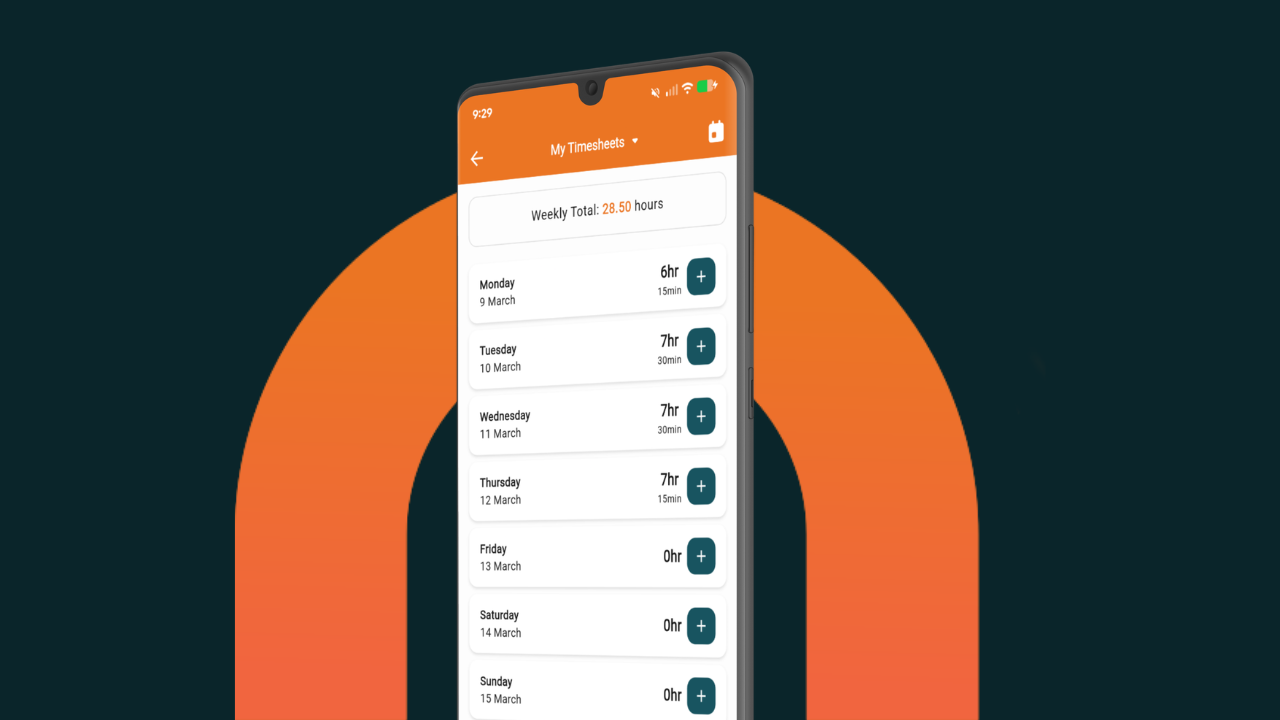
- Hours land on the job by themselves. The crew logs timesheets with photos and site notes from the mobile app while they're standing in the dirt. Labour cost hits the job automatically.
- Machine hire gets allocated properly. Custom buy and sell rates for plant and equipment, logged against the job that used it. Have a look at buy versus sell rates if you're not sure you're charging enough for the bobcat.
- Variations get captured and billed. Quoted, approved, and flowed through to the invoice, rather than remembered in the ute and forgotten by Friday.
- You invoice in stages. Progress invoicing with GST handled the Australian way, synced two ways to Xero, MYOB or QuickBooks.
- You know the numbers while you can still act on them. Back costing shows estimated versus actual on labour and materials mid job, not six weeks after handover.
Plans start from AU$199 a month plus GST for a crew of 3 to 9, and from $349 for 10 to 14. Bigger crews get quoted individually. Every plan gets the full feature set with nothing charged on top, month to month, no lock-in, and setup, training and support included for life.
Spreadsheets vs building your own vs job management software
What it looks like in practice
Laura and Daniel at Vast Landscapes ran their design and build business on spreadsheets and manual processes before they switched. Laura was up until midnight putting quotes together and trying not to miss anything, and Daniel was ringing her from site every time he needed a material or a variation detail.
After moving across, a detailed quote takes an hour or two instead of a whole night, Daniel checks job info himself, and they can see whether a job is hitting its profit target. Laura's summary was blunter than anything we'd write ourselves: "It saved our marriage." Worth a read if you want the full story.
FAQs
When should a landscaping business stop using spreadsheets?
The usual trigger point is three or more crew with several multi-week builds running at once. The clearest signal is that you can't say which jobs made money without going back through months of records. Add unbilled variations and unallocated machine hire, and spreadsheets are costing you more than software would.
Is it cheaper to build my own landscaping app with AI?
Only on day one. The build might be free, but you take on maintenance, security and every breakage forever, with no support to call. Veracode's 2026 research found AI-generated code passes security testing only 56 per cent of the time, and your app would be holding customer addresses, photos and pricing. A few hours a month of your own time fixing it costs more than a subscription at landscaping charge out rates.
What software do Australian landscapers actually use?
It splits by work type. Maintenance and mowing rounds tend to use dispatch style tradie apps like ServiceM8, Tradify or Fergus. Design and build landscape construction crews of 3 or more, running staged jobs with variations and progress claims, generally need construction focused job management software such as NextMinute.
How much does landscaping job management software cost in Australia?
NextMinute starts from AU$199 a month plus GST for a crew of 3 to 9, and from $349 for 10 to 14, with larger crews quoted individually. Every plan includes the full feature set with no add-ons or per-feature charges, month to month with no lock-in contract, and setup, training and support are included. Across a five person crew that's a few dollars per person per day, or about what one missed variation costs you in a year.
Will I lose my existing job data if I switch?
No. Your history stays in your spreadsheets, and most crews start by moving new jobs across first and letting the old ones finish where they are. Quoting templates and price books can be imported, and setup help is included.
Does it work with Xero and MYOB?
Yes. NextMinute syncs two ways with Xero, MYOB and QuickBooks, so quotes, invoices and job costs flow through without re-keying.
The bottom line
Spreadsheets aren't the enemy. They're just the wrong tool once you've got several staged builds running, a crew spread across sites, machine hire to allocate and variations turning up weekly. And building your own app with AI swaps a spreadsheet problem for a software maintenance problem, which is a worse trade than it looks at 9pm on a Tuesday.
If you're doing landscape construction with 3 or more on the tools, the maths is pretty simple. One captured variation a year covers the subscription. There's a 10 day free trial with no credit card, a landscaping pricing template you can grab for nothing, and an Australian team who'll help you set it up. Give it a crack before you spend another Sunday night in a spreadsheet.