
Quick answer: The best job management software depends on how your work runs, not on your trade. If you do lots of short call-outs a day, a dispatch-style app like ServiceM8, Tradify or Fergus will suit you. If you run a crew of 3 to 15 on a handful of multi-day jobs at once, you need software that schedules by stage and shows estimate versus actual on every job while it's still running. That's the gap NextMinute is built for.
Most "best software" lists throw every tool into one pile and let you sort it out. That's how a builder ends up on an app designed for a plumber doing eight jobs a day, wondering why it can't show him a six-week reno on one screen. So start with the question that actually decides it.
First, how does your work actually run?
Answer these three before you look at a single feature list:
- How long does a typical job run? Hours, or weeks?
- How many jobs have you got live at once? Ten a day, or five a month?
- How many people need to be on it? Just you, or a crew filling in timesheets from site?
If you answered hours, ten a day and mostly you, you want call-out software. It's quick to book a job, quick to invoice it on the spot, and priced to suit.
If you answered weeks, a handful at once and a crew of three or more, you want project software. You need to see who's on which job next week, what each stage was meant to cost and what it's actually costing, and the variation the client agreed to on site last Thursday. A calendar and an invoice button won't show you that.
Most tradies who hate their job software are on the wrong type, not the wrong brand.
Call-out software vs project software
| Call-out software | Project software | |
|---|---|---|
| Built for | Many short jobs a day | A few multi-day jobs at once |
| Scheduling | Calendar or dispatch board | Gantt by job, stage and task |
| Job costing | Total cost per job, after the fact | Estimate vs actual by stage, as you go |
| Variations | Often a separate job or a manual line | Tracked against the job and its budget |
| Invoicing | On-the-spot, per job | Deposits, progress invoices, final |
| Typical users | Plumbers, sparkies, maintenance, service | Builders, renovators, landscapers, roofers, carpenters |
| Examples | ServiceM8, Tradify, Fergus | NextMinute, Buildxact (estimating-first) |
Neither type is better. They're built for different businesses, and using the wrong one is like buying a crane to hang a door.
The main options, honestly
ServiceM8
ServiceM8 is built for dispatch: book the job, send the tech, invoice before they leave the driveway. It's priced by the number of jobs, not users. Plans run from a free plan (30 jobs a month) to Premium Plus at $349 a month, prices including GST (checked 27 October 2026).
Choose ServiceM8 if: you're running a high volume of short service jobs and want the fastest booking-to-invoice loop around.
The catch: it thinks in single visits. A twelve-week extension with stages, crew changes and variations gets chopped into lots of little jobs, and you lose the view of the whole build.
Tradify
A popular all-rounder for trades doing lots of small and medium jobs. Priced per user: Lite $48, Pro $52 and Plus $62 per user a month, ex GST (checked 27 October 2026). Timesheets and job costing start on Pro, and purchase orders need Plus.
Choose Tradify if: you're a small service-style crew that wants something simple and well known.
The catch: there's no Gantt for staged projects, so scheduling a build across weeks gets clunky. For a crew of six on Plus you're at about $372 a month ex GST.
Fergus
Similar territory to Tradify, with a strong following among plumbers and electricians. Regular pricing is Essentials $53 and Professional $77 per user a month, with timesheet-only users from $26 (checked 27 October 2026). Fergus sometimes runs introductory promotions, so check what you'll pay once any offer ends.
Choose Fergus if: you run service and small install work and want solid job tracking with a good mobile app.
The catch: purchase orders, job phases and most reporting sit on Professional. Six full users on Professional at regular rates is about $462 a month.
Buildxact
Buildxact is estimating-first. Its strength is built-in takeoffs: measuring plans and turning them into a priced estimate. Foundation is $199 a month, Pro $399 and Master $599 when you pay monthly, ex GST, with lower rates on a 12-month commitment and unlimited users (checked 27 October 2026). Scheduling starts on Pro.
Choose Buildxact if: estimating off plans is the hardest part of your week, and winning the quote matters more to you than tracking the job once it's won.
The catch: it's built around the estimate. If your pain is crew timesheets, site notes and knowing mid-job whether you're over on labour, check how much of that you'd still be doing elsewhere.
NextMinute
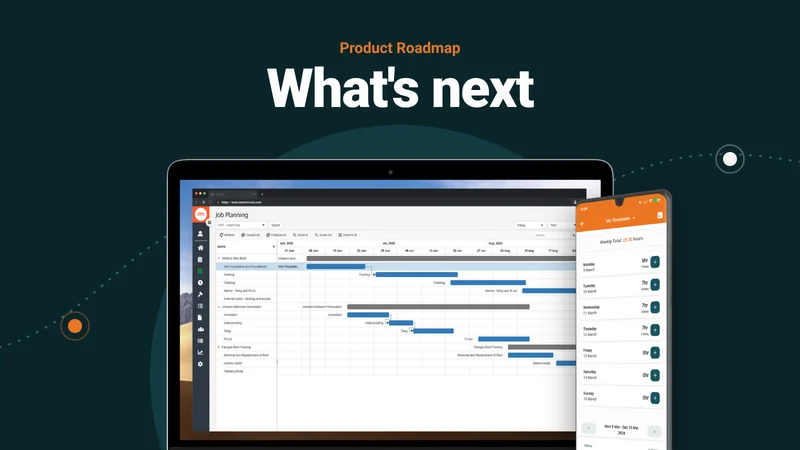
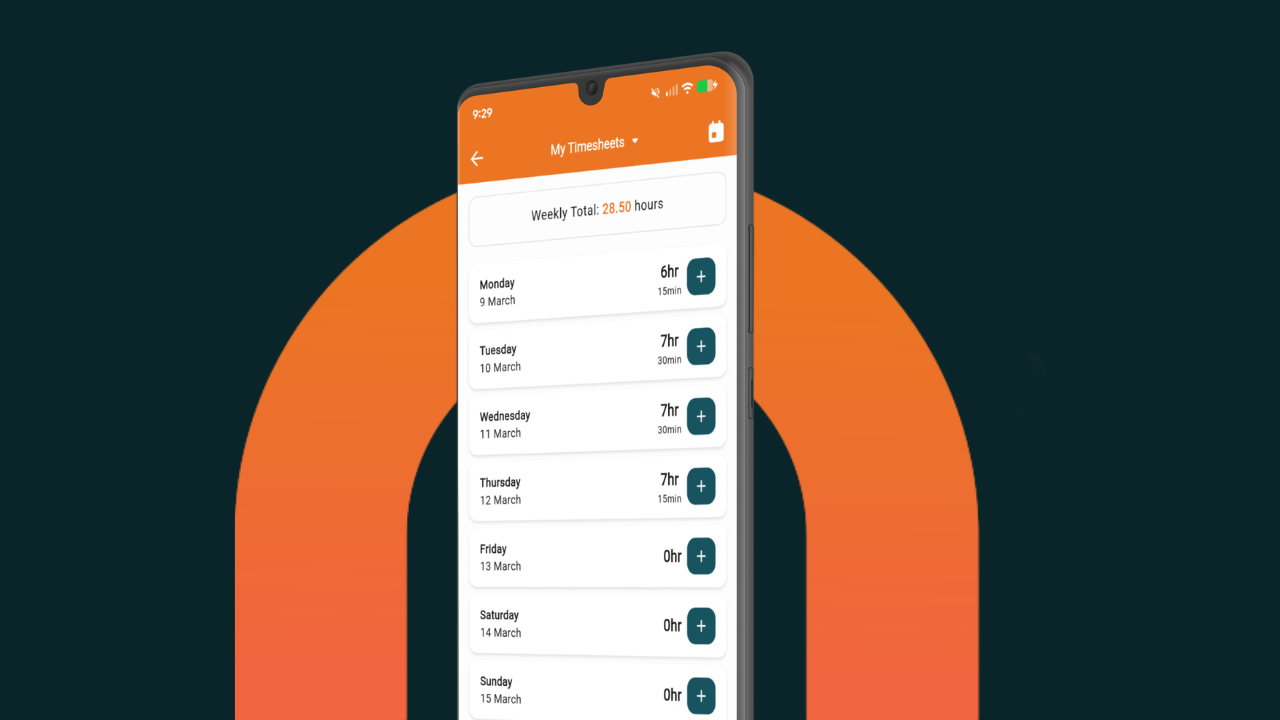
NextMinute is job management software built for residential crews of 3 to 15 running longer jobs, from builders to landscapers and roofers. You get a Gantt chart by job and stage, timesheets and site notes from the crew's phones through the mobile app, purchase orders, variations, and live estimate versus actual by job and stage. Two-way sync with Xero, MYOB and QuickBooks means invoices, bills and timesheets don't get typed twice.
Pricing is $299 a month plus GST for up to 5 users, then $30 a month for each extra user. Every customer gets every feature, and ongoing support is included.
Choose NextMinute if: you've got a few jobs running at once, a crew on site, and you want to know a job's going over before the final invoice, not after.
The catch: it isn't built for solo operators. The value is in coordinating a crew. It doesn't do built-in takeoffs either: you import them from your QS or takeoff tool. And if your day is ten call-outs, it'll feel like more job than you need.
Want the side-by-side detail? Our comparisons cover NextMinute vs Tradify, NextMinute vs ServiceM8, NextMinute vs Fergus and NextMinute vs Buildxact.
Quick comparison
| ServiceM8 | Tradify | Fergus | Buildxact | NextMinute | |
|---|---|---|---|---|---|
| Built for | High-volume call-outs | Small and medium service jobs | Service and small installs | Estimating and takeoffs | Crews on multi-day jobs |
| Scheduling | Dispatch calendar | Calendar | Calendar and status board | Schedules on Pro and up | Gantt by job and stage |
| Job costing | Per job | Per job (Pro and up) | Per job (Professional for reporting) | Estimate-led | Estimate vs actual by stage, live |
| Pricing model | By jobs a month | Per user | Per user | Flat monthly, unlimited users | Base price for up to 5 users, then per user |
| Indicative AU price | Free to $349/mo inc GST | $48 to $62 per user/mo ex GST | $53 to $77 per user/mo ex GST (regular) | $199 to $599/mo ex GST (monthly) | From $299/mo plus GST for up to 5 users |
| Best fit | Sparkies, plumbers, service rounds | Small service crews | Plumbers, electricians | Builders who live in the estimate | Builders, renovators, landscapers, roofers with 3 to 15 crew |
Competitor pricing is indicative and was checked on each provider's own pricing page on 27 October 2026. ServiceM8 prices include GST; the others exclude it. Fergus figures are regular rates. NextMinute: from $299/mo plus GST for up to 5 users, then $30/mo per extra user.
Want it broken down for your trade?
If you're just you, or you and one other, a spreadsheet or a cheap call-out app is fine. Don't pay for crew features you'll never switch on. For crews of three or more, we've done trade-by-trade picks:
- Renovators: best software for renovation projects
- Landscapers: best job management software for landscapers
- Carpenters: best apps for carpenters
What you should be able to see by week three
This is the test we'd put any job software through. Run one real job through the trial and check whether it can show you this.
Say you're running an $85,000 bathroom and kitchen reno, quoted over six weeks with 240 labour hours. It's the end of week three. Demo and rough-in are done, and the crew has logged 165 hours from their phones.
Good job software shows you, on one screen, that you're 69% through your labour budget at the halfway mark. It shows the tiler's materials have come in $1,400 over the estimate. And it shows the variation for the relocated vanity ($2,200, signed off on site) as approved but not yet invoiced.
That's three things you can act on while there's still time: a chat with the crew, a call to the supplier, and an invoice that goes out today instead of turning into an argument at practical completion.
If the software can only tell you the job's total cost after the final invoice is paid, it's an invoicing app with a calendar. That's fine for call-outs. It isn't job management for a build. (The figures above are an example, not a customer's numbers.)
What switching actually involves
The thing that stops most crews switching isn't price. It's being flat out. Here's what's involved, so you can plan it:
- Jobs in progress: don't migrate half-finished builds. Finish current jobs in the old system and start every new job in the new one. You'll run both for a few weeks.
- Contacts and accounts: with Xero or MYOB connected, client and supplier contacts come across in the sync, so you're not retyping them.
- Price book and templates: the real setup work. Load your labour rates, common materials and a few quote templates. Do it once, properly, and every quote after is faster.
- The crew: pick one job and one leading hand to go first. If timesheets go in from site for two weeks without you chasing them, the rest of the crew will follow. The payoff is not doing payroll from dockets in the ute console at 9pm on a Sunday.
FAQs
What's the best job management software for builders in Australia?
For a building crew of 3 to 15 running several jobs at once, look for software that schedules by stage and tracks estimate versus actual while the job's running. NextMinute is built for that. If estimating off plans is your main need, Buildxact is strong on takeoffs. For call-out work, ServiceM8, Tradify and Fergus fit better.
Is there any free job management software?
ServiceM8 has a free plan capped at 30 jobs a month. Most others offer a free trial instead: NextMinute's is 10 days with no credit card. Free tools work for solo operators. Once you've got a crew, the time lost chasing timesheets usually costs more than the subscription.
What's the difference between job tracking software and job management software?
Job tracking usually means knowing where a job's up to and who's on it. Job management covers the lot: quote, schedule, timesheets, purchase orders, variations, invoicing and job costing. For a multi-day job you want the full version, because the tracking only matters if it connects to what the job's costing you.
Does job management software work with Xero and MYOB?
Most do, but check how. NextMinute has two-way sync with Xero, MYOB and QuickBooks for contacts, invoices, bills, payments and timesheets. Some tools only push invoices one way, which leaves you reconciling the rest by hand.
Do I need a Gantt chart?
If your jobs have stages that depend on each other, yes. Frame before roof, roof before lock-up, and the sparky booked for a day that only works if the plasterer's finished. A calendar shows who's busy. A Gantt shows what moves when one stage slips.
How long does it take to switch job software?
Setup is mostly your price book, templates and contacts. Plan to run old and new side by side for a few weeks while current jobs finish. With NextMinute, onboarding is available for setup and training, and ongoing support is included in your subscription.
The bottom line
Work out whether you're a call-out business or a project business first. That one question rules out half the market. If you're running a crew of 3 to 15 on jobs that take weeks, pick software that shows you estimate versus actual while there's still time to fix it.
If that's you, have a crack with the free trial and run your next real job through it. Or book a demo and we'll walk through one of your own jobs with you. Full pricing is on the pricing page.
Competitor pricing was checked on the vendors' own pricing pages on 27 October 2026. It's indicative and changes often, so check before you buy. NextMinute prices exclude GST. ServiceM8's published prices include GST.