NextMinute Xero Integration
Integrate with Xero. Simplify your workflow.
NextMinute syncs invoices & contacts back and forth with Xero, helping tradies get it sorted with no hassle.

NextMinute syncs invoices & contacts back and forth with Xero, helping tradies get it sorted with no hassle.
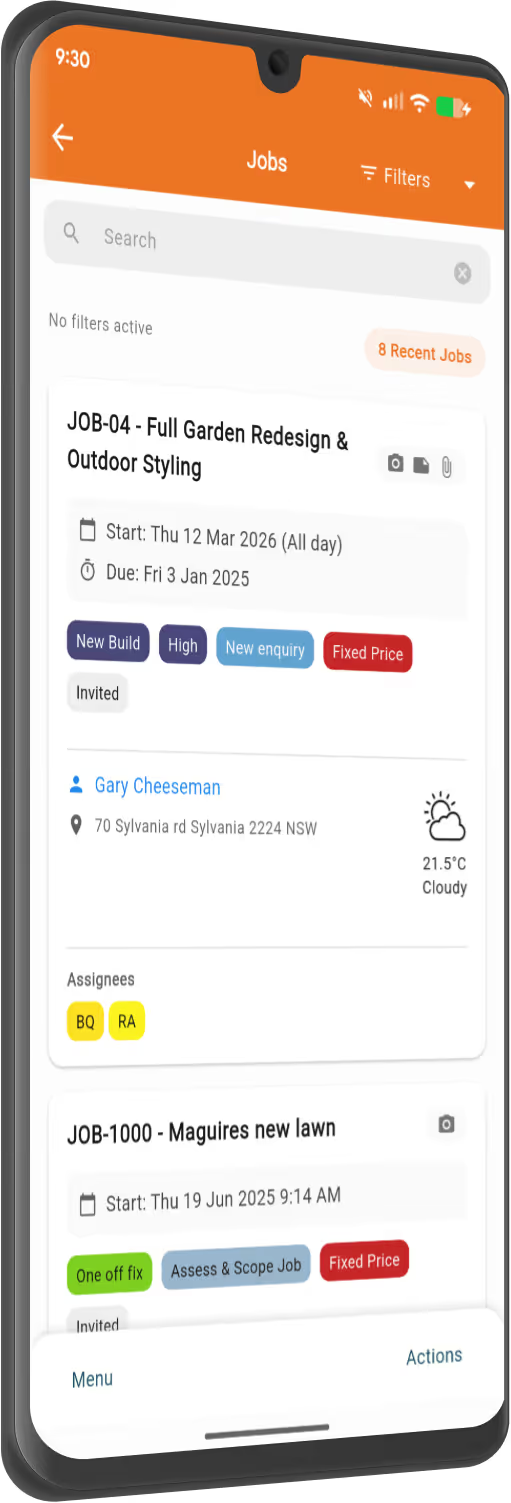
You've got more important things to do than enter numbers into multiple systems. Connect Xero to your NextMinute account in a few clicks and sync your data automatically.
Pull supplier invoices from Xero into NextMinute, assign them to jobs, and sync payments both ways. You can also add invoices directly in NextMinute and sync them back to Xero.
Create your sales invoices in NextMinute and watch them sync effortlessly to Xero. Payments flow back from Xero to reconcile in NextMinute, so you’re always on top of things.
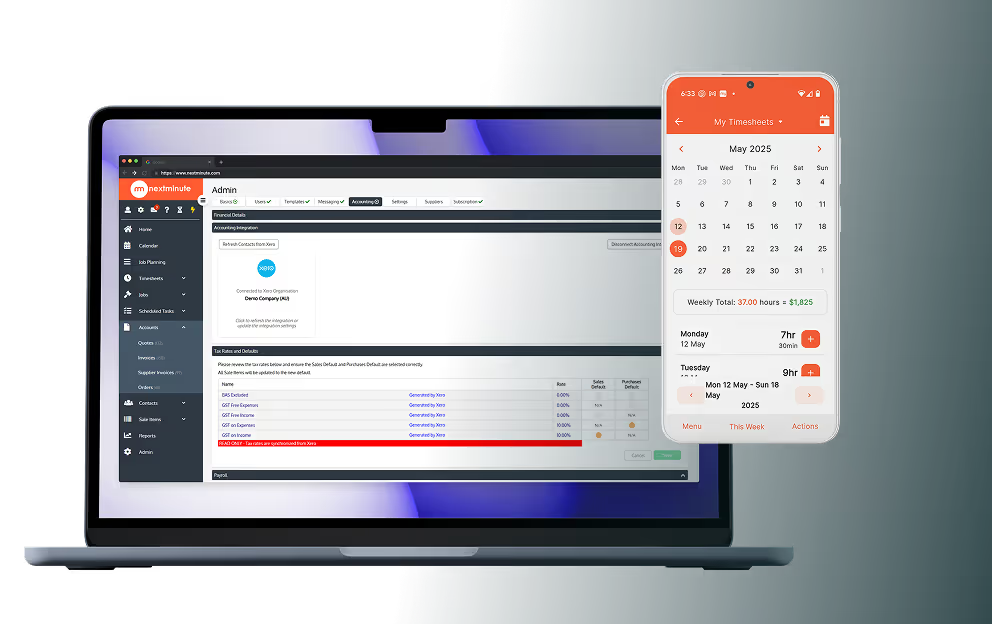
Timesheets sorted. Send them straight from NextMinute to Xero, and let payday happen without a hitch. Less admin hassle, more time for what really matters.
Customer and supplier contacts sync automatically between NextMinute and Xero, so you’re never stuck updating details in two places again.


Xero is a great accounting solution that covers all your business needs, from managing finances to handling payroll and taxes. It’s ideal for builders and tradies who want to keep their financials in check without the hassle. Together, NextMinute and Xero make a perfect pair — letting you streamline your entire workflow from job site to bank account.
Visit Xero Website
NextMinute is specifically designed to make your life easier by cutting down on job admin.
Connect NextMinute with Xero to easily keep all your financial information in sync.
Your bookkeeper will love NextMinute. No manual data re-entry, and everything stays up-to-date across both systems.
We've made getting set up with Xero super simple, so you can get on with the job.
We’ve answered the ones we hear most from builders and tradies.

Yyou can start a 10-day free trial without putting in any credit card details. You can hook up your Xero account during the trial to see exactly how the two work together before you commit to anything.
Yes, that’s one of the best bits. By pulling your actual costs from Xero directly into your NextMinute jobs, you can see exactly how much profit you’re making on a project compared to your original estimate.
They’ll love it because it eliminates double handling. Everything stays in sync across both systems, meaning there’s no manual data re-entry for them to do, which usually saves you money on accounting fees anyway.
It only takes a few clicks to connect the two. If you get stuck, our local Auckland-based team can jump on a quick call to help you get the sync sorted and show you how to import your existing jobs and quotes.
It definitely does. NextMinute is built for the NZ market, so it handles the 15% GST and accounting requirements perfectly alongside Xero. It keeps things clean for your bookkeeper or accountant when tax time rolls around.
You can create your professional invoices in NextMinute based on your job data, and they’ll sync right across to Xero. When a client pays that invoice and it’s reconciled in Xero, NextMinute sees that too, so you always know who's paid up.
They sure will. Customer and supplier details sync automatically between NextMinute and Xero. If you update a phone number or address in one, it’ll pull through to the other so your database stays tidy.
Not at all. You can pull your supplier invoices straight from Xero into NextMinute and assign them to specific jobs. Since payments sync both ways, your job costing stays accurate without you having to lift a finger.
Yes, it makes payday a breeze. The crew logs their hours on-site using the NextMinute app, and you can send those timesheets straight through to Xero payroll. It saves heaps of time and stops you from having to chase paper dockets or messy texts.
It’s a simple two-way sync. Your invoices, contacts, and supplier bills flow between both systems automatically. This means once you've set it up, you won't have to spend your Sunday night typing the same data into two different places.


Copyright © NextMinute (New Zealand). All Rights Reserved.