

Most Kiwi carpenters didn't start their business to spend Sunday nights chasing timesheets and patching together spreadsheets.
You started because you were good with your hands, you didn't want to work for someone else, and there was a clear road to building something of your own. The business side — the quoting, the invoices, the GST, the chasing of variations — got bolted on later, usually onto a spreadsheet, sometimes onto a notebook, occasionally onto whatever software a mate at the pub mentioned.
For a while it works. Then the jobs get bigger, the crew grows, and the admin starts taking over your weekends.
This guide is for the carpenters at that point — the ones whose business is doing well on paper but where the toll of running it is climbing. It's about stopping the manual stuff that's quietly chewing through your week, streamlining the bits that matter, and getting some certainty back about whether each job is actually making money.
What “manual” actually looks like in a carpentry business
Most Kiwi carpentry businesses are running on more manual processes than they realise. A quick honesty check — see how many of these sound familiar:
- The crew text you their hours on a Friday and you type them into a spreadsheet on Sunday night.
- You quote in Word or Excel, send it as a PDF, and never know which version the client actually signed off.
- Variations get talked through on-site and entered into the invoice later — sometimes from memory.
- Supplier invoices come in by email and live in your inbox, not against a specific job.
- Photos of the build are scattered across three different phones and not attached to anything.
- Progress claims are a half-Saturday job to put together.
- You finish a build, send the final invoice, and have no idea whether you actually made money on it.
- The schedule lives on a whiteboard in the office and the crew can't see it from site.
None of that is unusual. It's how most carpentry businesses run in their first few years. But every one of those processes costs you time, mental load, and quite often, money.
What it actually costs you (beyond the obvious)
Manual admin in a carpentry business hits you in three different places:
Time. The Sunday-night data entry, the Saturday-morning progress claim, the half-hour every day chasing where the latest plan is. It adds up to a full extra working week every month for most owners.
Margin. When the cost data isn't connected, the leaks don't show until the job's done. Hours that didn't make it onto a timesheet. A variation that got forgotten. A material order that was paid for but never billed to the client. None of these are catastrophic on their own. Together, they're the difference between a good year and a great one.
Headspace. This is the one most carpenters don't account for. When you're holding the whole business in your head — which job's at what stage, what's been ordered, who's owed money, what the client agreed to last week — there's no room left for actually running it. The stress sneaks up on you, and it shows up at home before it shows up at work.
The path out: streamline the operational core
Here's the good news. You don't need a finance degree, a giant rebuild, or a six-month rollout to fix this. Most carpentry businesses get the bulk of the benefit from sorting one thing: a single system that handles the operational side of the business properly.
That's quoting, scheduling, timesheets, costs, variations, and invoicing — all tied to the same job, all visible to the same people, all available on a phone for the crew on-site.
For most Kiwi carpentry crews, NextMinute is where that lands. Built in New Zealand, made for trade businesses (not generic SaaS), and supported by an Auckland team that actually knows the building industry.
It replaces the spreadsheets without replacing your way of working. You still quote the way you quote — just faster. You still run jobs the way you run them — just with the moving parts tied together instead of scattered across inboxes, group chats, and someone's memory.
What changes when the manual stuff stops
The carpentry crews who move across talk about the same handful of changes in the first few months:
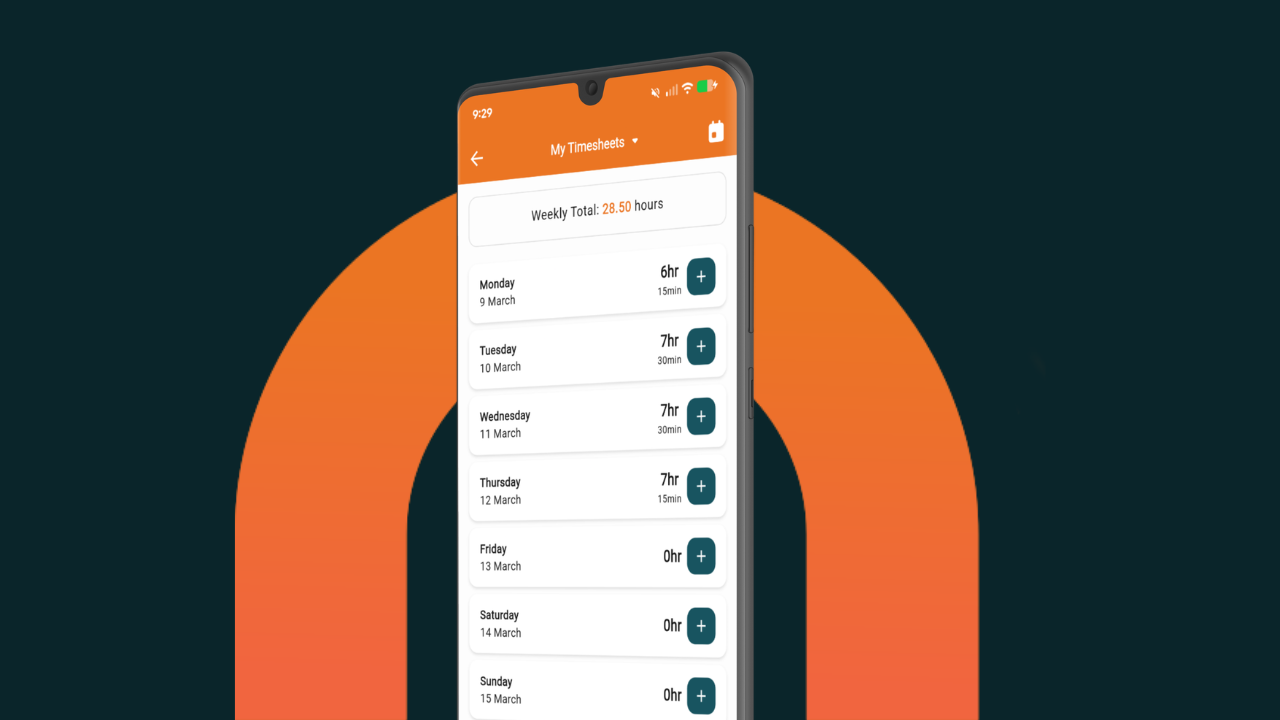
- The Sunday-night admin disappears. Timesheets come in from the crew through the mobile app as the week goes. By Monday morning the numbers are already where you need them.
- Quotes get out faster. Templates and saved price books mean the next quote takes a fraction of the time the last one did. More quotes out = more jobs won.
- Variations stop getting lost. Logged against the job at the time, with a written quote and a client sign-off. The extra work gets billed instead of vanishing into the margin.
- Progress claims become a 20-minute job. Numbers pull from the hours and materials already tracked. Clients get a clean breakdown they can't argue with.
- You can see if a job's making money before it's done. Live back costing compares actuals to your original quote at any point in the build. Heading the wrong way? You spot it early enough to do something about it.
- The schedule stops being a phone-tree exercise. Drag-and-drop scheduling means when one job slips, the rest shifts cleanly and the crew sees the update on their next break.
It's not magic. It's just what happens when the data lives in one place instead of nine.
What it actually feels like
The most common thing carpentry owners say after a few months on NextMinute isn't about features. It's about getting their evenings and weekends back.
The mental load drops. You stop carrying the whole business in your head. The Sunday-night data entry retires. The “are we making money on the Smith job?” question has an answer you can pull up over a coffee on a Tuesday morning. The week stops feeling like running uphill.
And because the office is working off the same job record as the site, the daily phone calls and “can you flick me that?” texts quietly drop away.
The other thing worth saying
You don't have to flip the whole business overnight.
Most carpentry crews start with the thing that's hurting them most — usually timesheets, or quoting, or back costing — and let it build out from there. Inside a few weeks the system covers the full job lifecycle, but the change feels gradual instead of dramatic.
NextMinute's Auckland team will help you bring your existing quotes, price book, and contacts across during a free trial, so you're testing on your own jobs, not a blank screen. And because the support is local, when you've got a question at 3pm on a Friday you actually get an answer.
Is it time?
If half the manual stuff on the list above is sounding familiar, probably yes.
The spreadsheets aren't the problem. They're just the wrong shape for a carpentry business with multiple live jobs, a crew, and clients who expect a professional response. You can keep going on them — but you'll put in more effort for less clarity, and that gap grows every year.
Have a look at the carpenter software page, or book a 15-minute intro and have a quick chat with someone in the Auckland office. No high-pressure pitch — just a look at how the day-to-day could feel, with the manual stuff out of the way.
Either way, the goal is the same one most carpentry owners had when they started: a business that runs itself well enough that you can put the tools down on a Friday and actually leave them there.

.avif)