If you're running a landscaping crew in NZ, you already know what chaos looks like. Someone shows up to the wrong site. The materials didn't arrive. Nobody's sure what they're doing after lunch. You're fielding calls all day when you should be on the tools or running the business.
Managing a crew doesn't have to be this hard. Here's how to get everyone on the same page and keep jobs moving without it all resting on you.
The biggest cause of crew chaos: information silos
Most crew management problems aren't about the crew — they're about information. The plan is in your head, or in a text message, or written on a scrap of paper in the ute. When things change — and they always change — the update doesn't reach everyone who needs it.
The fix is to have one place where the job plan lives, everyone can see it, and changes show up in real time.
Plan the week before the week starts
Reactive scheduling — telling the crew where to go that morning — is how you end up with idle time, double bookings, and late jobs. Spend 30 minutes on Friday afternoon planning the following week:
- Which jobs are running and which stages are active
- Who's on what site and for how many hours
- What materials need to be ordered or picked up before Monday
- What plant hire needs to be booked in advance
It won't be perfect — jobs slip, clients change plans — but having a plan to adjust is much easier than having no plan at all.
Assign tasks, not just jobs
Telling someone "you're on the Henderson job Monday" isn't enough. What part of the job? What's the sequence? What do they need to bring? What does done look like?
Breaking jobs into specific tasks — excavation, drainage install, topsoil, planting, cleanup — and assigning them to crew members removes the ambiguity. They know what they're doing, they know what order, and they can flag if something doesn't make sense before they drive 40 minutes to find out.
With NextMinute's job planning tools, you can assign tasks to crew from a simple Gantt view, and your team can see their schedule from the mobile app before they even leave home.
Get timesheets off paper
Paper timesheets are the enemy of an accurate payroll. They get filled in late, they get lost, and the hours are often rounded in the crew's favour — not because anyone's being dishonest, but because nobody can remember exactly what they did last Wednesday.
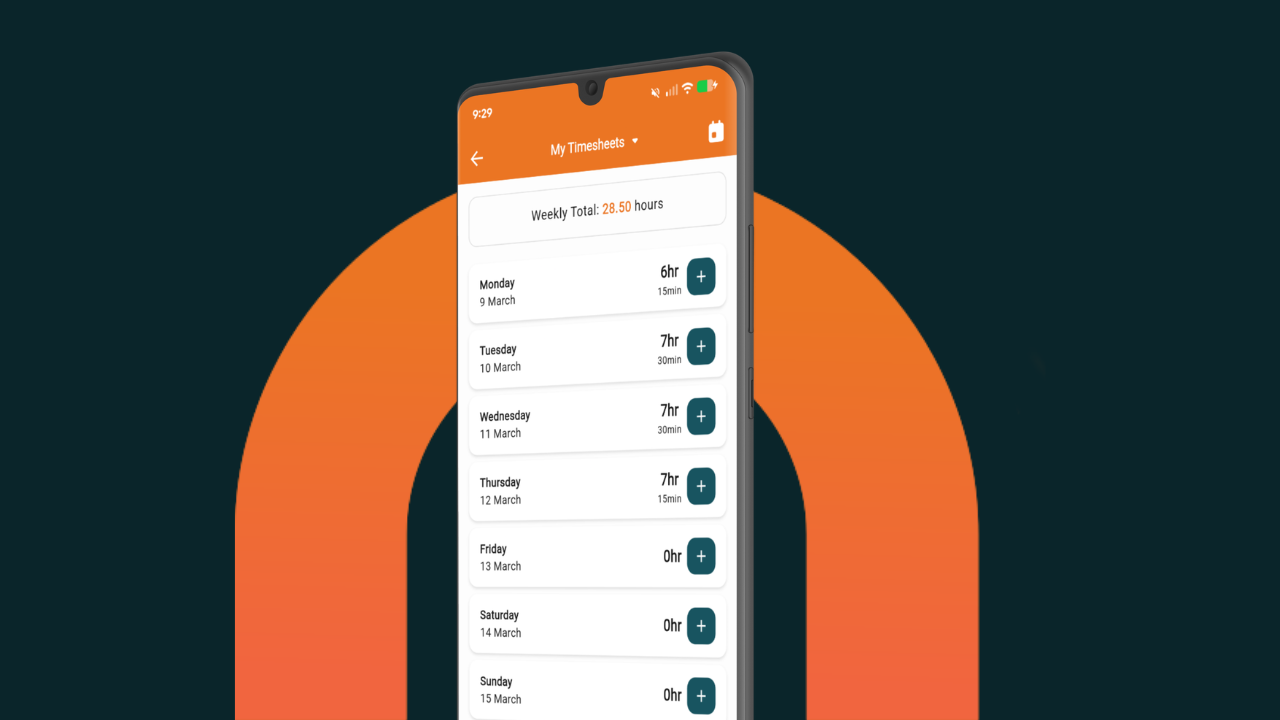
When crew can log their hours against a specific job or task from their phone — in real time, on site — you get accurate data without the Sunday night chase. Digital timesheets mean you know who's on site, what they've logged, and whether hours are tracking as expected.
It also means you can catch problems early. If a task that was estimated at eight hours is sitting at twelve and it's not done yet, you know that today — not at the end of the job when the margin is already gone.
Use site diaries to keep a record
Things happen on site that affect the job — unexpected ground conditions, weather delays, client requests, damage found when stripping out old material. If it's not recorded, it's your word against someone else's at the end of the job.
A simple daily site diary — a few sentences and a photo from the crew member on site — creates a record without adding much to anyone's day. It's useful for client disputes, insurance claims, and understanding why a job ran over.
The NextMinute mobile app lets crew log notes and photos against a job in a few taps. It takes less time than a text message and the record is attached to the right job automatically.
Communicate job changes without the group chat mess
Most crew communication happens in WhatsApp or texts — which means important updates get buried, the wrong people see them, and changes don't reach everyone who needs to know.
When you're managing multiple jobs and multiple crew, you need a way to communicate that's linked to the job itself. Updates to a task — rescheduled, materials delayed, scope change — should reach the people on that job, not everyone on your phone.
Let the crew view site plans on their phone
Soggy paper plans in the ute are a landscaping cliché for a reason. When crew can view site plans and job documents from their phone, mistakes go down. They're looking at the right version, they can zoom in, and they don't have to ring you to ask a question that's answered on the plan.
Upload plans once to the job in NextMinute and the whole crew can access them from site — no printing, no laminating, no "I left it in the other ute."
Know what's happening without ringing everyone
A big part of crew management is knowing what's happening without being on every site yourself. When jobs have task completion logged in the system and timesheets coming in as the crew works, you get a live view of where things are at — without the constant calls.
That's the difference between managing a business and being the person who holds it all together by being constantly available.
Want to take the chaos out of running your landscaping crew?
NextMinute is built for NZ landscapers who want to spend less time on admin and more time running good jobs. Crew scheduling, timesheets, and a simple mobile app your whole team will actually use. Book a 15-minute intro →